Moloco
Network Specifications
Specifications
- Format: single .txt file
- Size: Less than 3KB
The .txt file contains a CDN link to the playable assets rather than the assets themselves, which is why the build size is under 3KB.
Upload and Testing
To upload a Playworks Playable, log in to Moloco Campaign Manager here.
- In the Apps dashboard select your application.

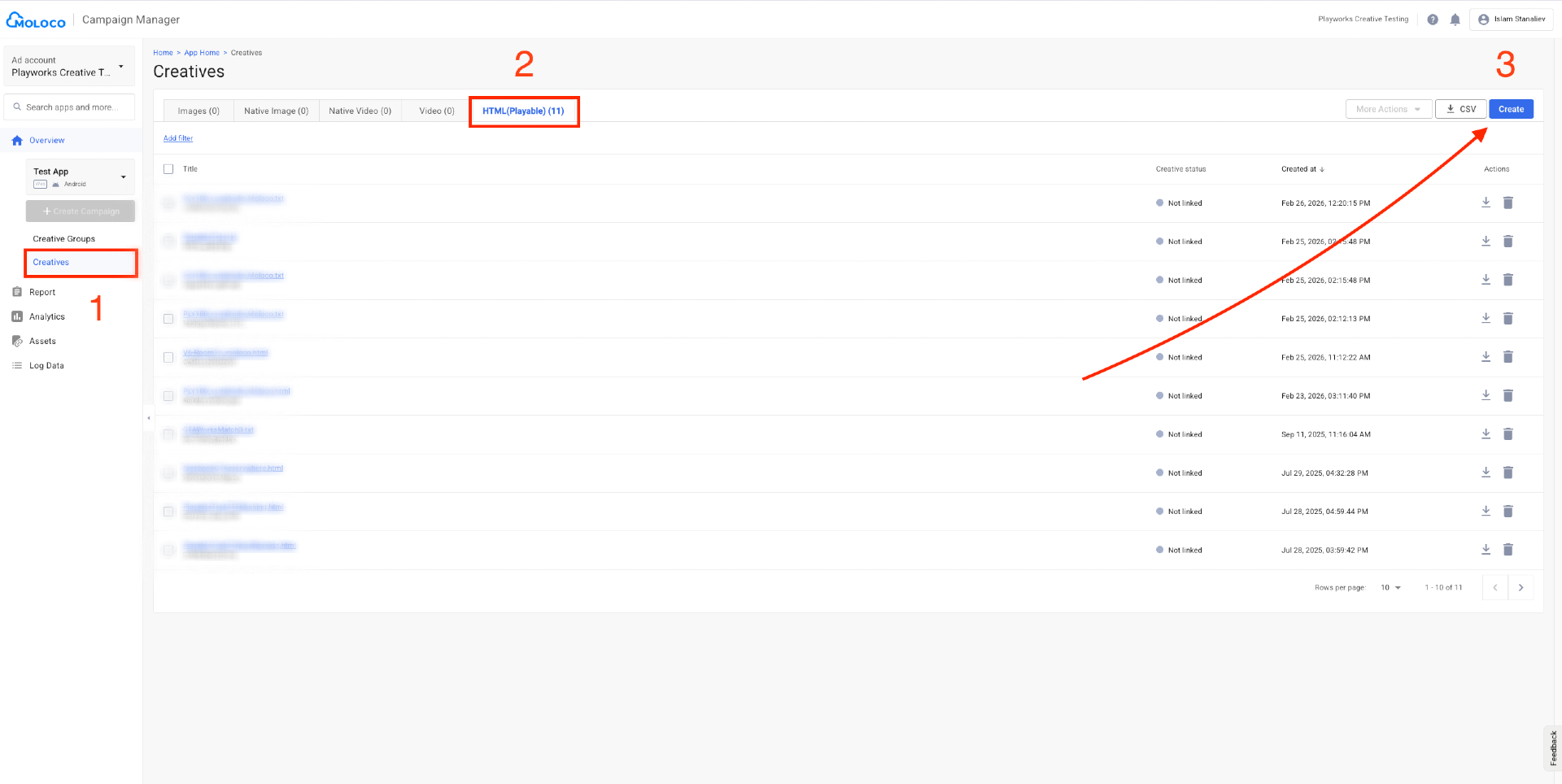
On the App Home page, navigate to the sidebar and select Creatives (1) (you can also select Creative Groups).
Click the "HTML (Playable)" (2) category to see all your uploaded Playables.
Click the "Create" (3) button in the upper-right corner to start uploading your Playable.
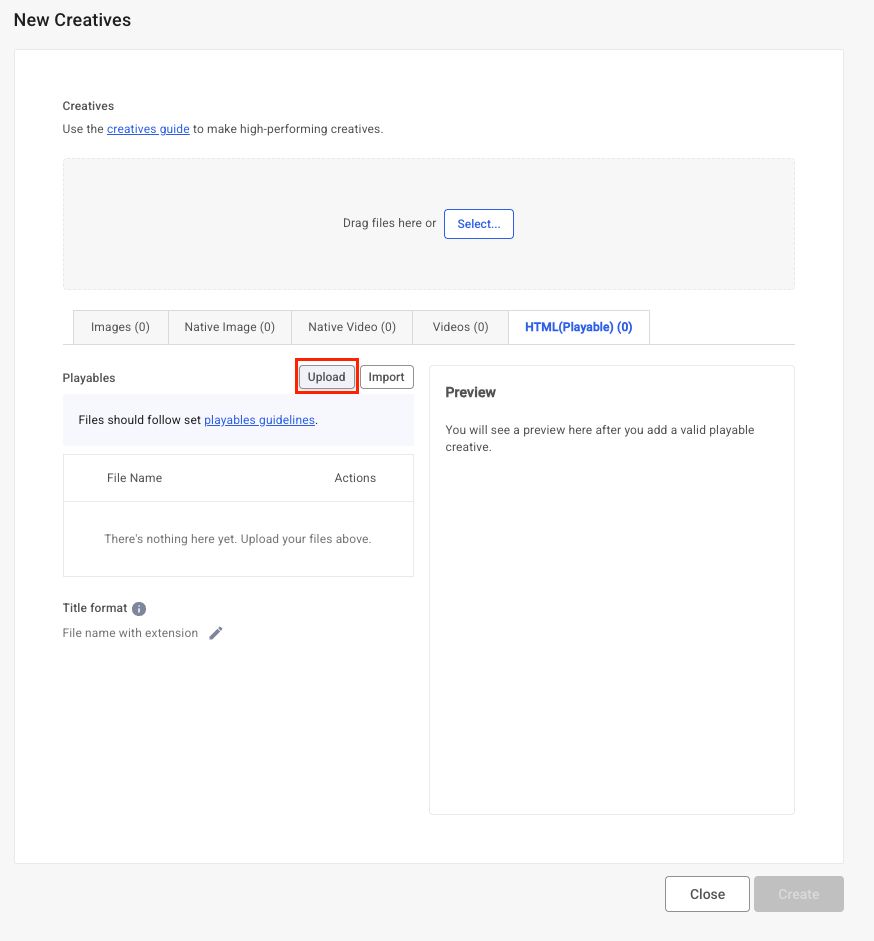
- Select Upload in the red box on the screenshot below. Don't use the "Drag files here or Select" form.
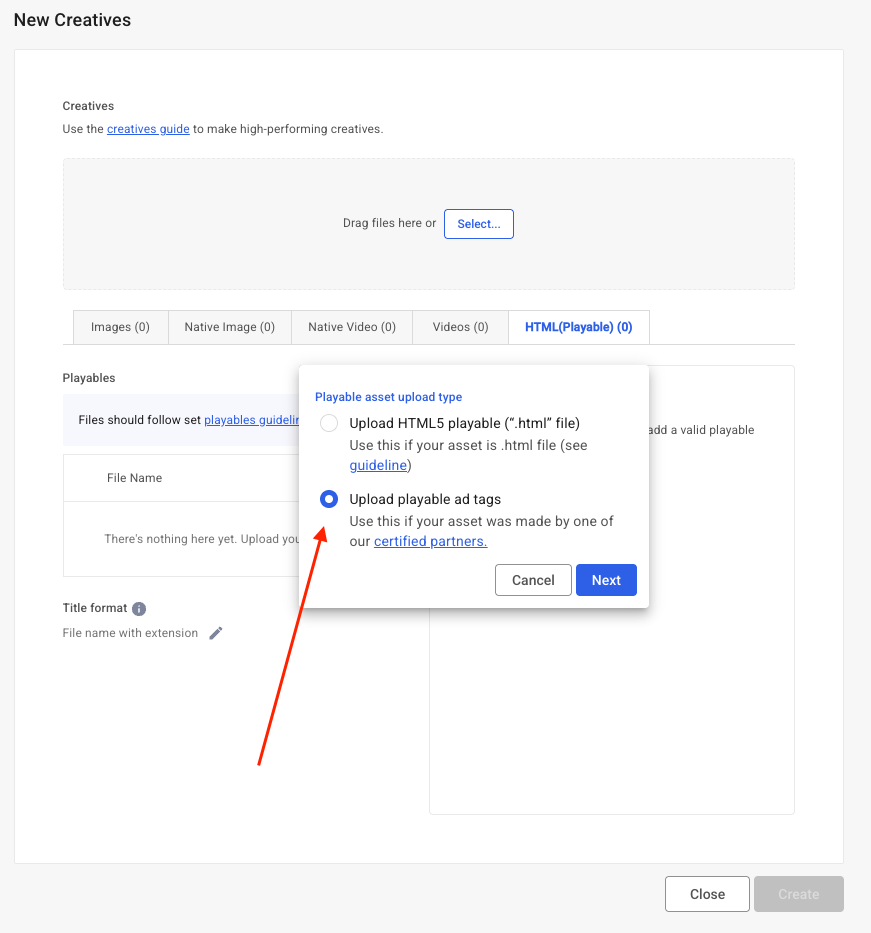
- Playworks Playables should be uploaded via the "Upload playable ad tags" form. Select it and click on "Next".
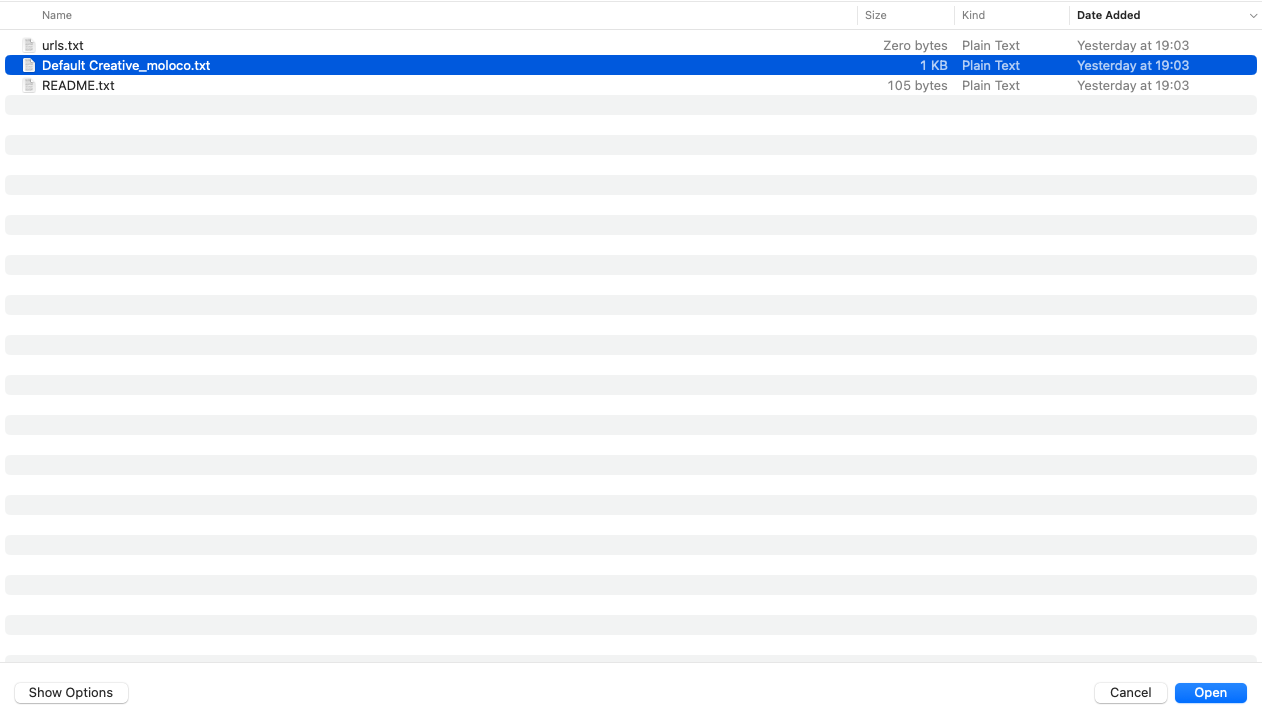
- Select the .txt playable that you downloaded from Playworks.
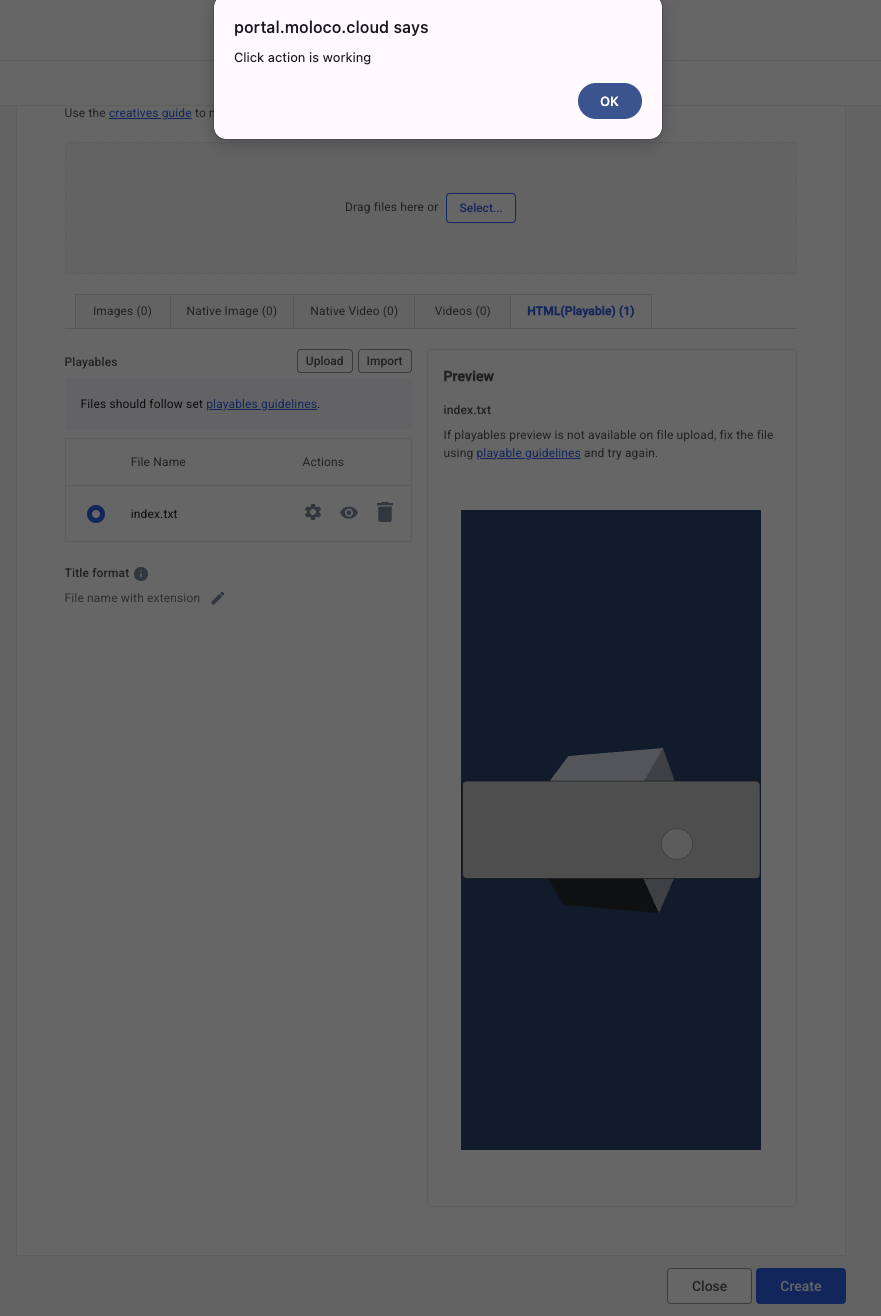
- Once you trigger the CTA, you should see a confirmation message from Moloco indicating that everything is correct.